Questions to ask AI help desk solution providers
Almost every help desk vendor is promoting their AI features, but not all AI features are created equal. Learn the questions to ask to go beyond the AI hype and find the best solution for your support team.

If you’re in the market for a help desk, you’ll be hard-pressed to find a vendor that isn’t actively promoting their AI capabilities. At this point, having AI is table stakes: what matters is whether those AI features support your team’s workflows, improve the customer experience, and can be deployed without putting your organization at risk for data leaks. An AI help desk that seems impressive at first glance may not meet your real-world support needs or may never get off the ground due to security or compliance issues.
Take the time to trial different solutions and ask questions about AI capabilities, security, and scalability up front to save yourself from a costly platform switch later. If you’re not sure where to start, this article has got you covered. We’re going to discuss:
- How to approach the AI help desk evaluation process
- Specific questions to ask the vendors on your shortlist
- How Deskpro addresses these questions
How AI has changed the help desk evaluation process
AI has become deeply embedded in help desk technology, and if you’re not already using it to move faster, you’re likely being told to. 91% of support leaders say they’re under pressure to implement AI to increase efficiency and customer satisfaction. The risk is that if you rush to invest in new technology to check the AI box, you may end up with a solution that looked great during the demo but doesn’t deliver a return on investment for your business.
There is a significant difference between surface-level AI–think basic chatbots that retrieve FAQ responses–and platforms with deep workflow automation, intelligent routing, and AI grounded in your historical data. The former can be stood up quickly and shown off during demos while the latter actually moves the needle on resolution times, agent efficiency, and customer satisfaction.
If you don’t thoroughly vet a vendor’s AI capabilities, you risk finding out the hard way that they won’t meet your team’s needs, after you sign the contract. Switching platforms can be costly (in time, data migration effort, retraining, and lost productivity), so it’s worth getting the AI help desk decision right the first time.
The sections below will walk through different dimensions of AI to consider and questions to ask so you can cut through the hype.
Key dimensions for evaluating AI help desk solutions
Your AI evaluation criteria will depend on your team’s size, style of support, industry, and workflow complexity. However, there are a few dimensions that every buyer should look at before making a decision:
- Omnichannel AI routing–How the platform triages and routes tickets from all your support channels.
- Automation and agent assistance–The repetitive tasks that your help desk can complete with AI to free up more of your agents’ time, along with the ways AI can support your agents as they work on tickets.
- Security, compliance, and data governance–How your data is handled, stored, and protected.
- Deployment–The environments you can run your help desk and its AI models in.
- Scalability and total cost of ownership–How well the platform scales as your team and support volume grow, and how that growth impacts platform costs.
- Vendor support, onboarding, and roadmap–Whether the vendor is a long-term partner that offers professional services and brings the voice of the customer into their roadmap.
Questions to ask about AI workflows, automation, and agent assistance
Your help desk's AI is only as useful as the workflows it powers. The questions in this section are designed to help you assess how deeply AI is embedded in a vendor's automation engine and whether it can actually reduce manual work for your team. Keep these questions in mind during trials and demos.
Omnichannel AI routing
Questions to ask:
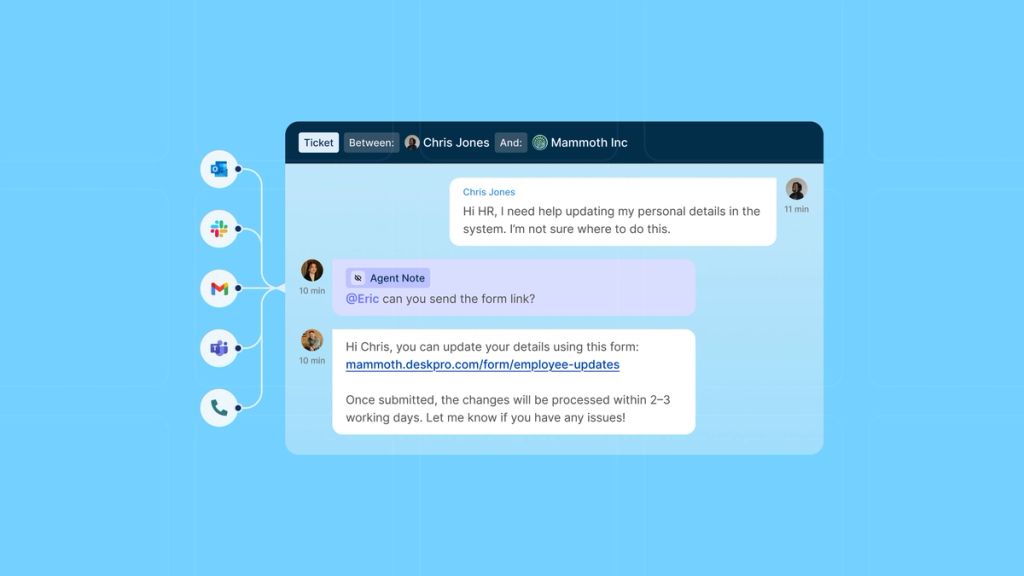
- Does your platform unify tickets from all my support channels into a single workspace?
- How does your platform automate ticket triage and routing: is it rule-based, AI-driven, or both?
- How does your AI routing work (i.e., what kind of patterns and context can the AI detect, and how does it use this information to route tickets)?
- Can routing rules differ by channel, team, or SLA?
What to look for: Platforms that convert messages from all your support channels into tickets in a single omnichannel workspace, along with configurable routing criteria that aligns with the ways your team triages tickets. Proceed with caution if a vendor tells you that routing in their platform is 100% AI-driven: you’ll likely want a platform that offers both rule-based and AI workflow configurations. Rule-based routing workflows are good for objective criteria (e.g., routing tickets from a specific contact form to a specific department) while AI-driven workflows are good for analyzing and routing messages based on message context (e.g., automatically escalating messages with signs of frustration to a manager).
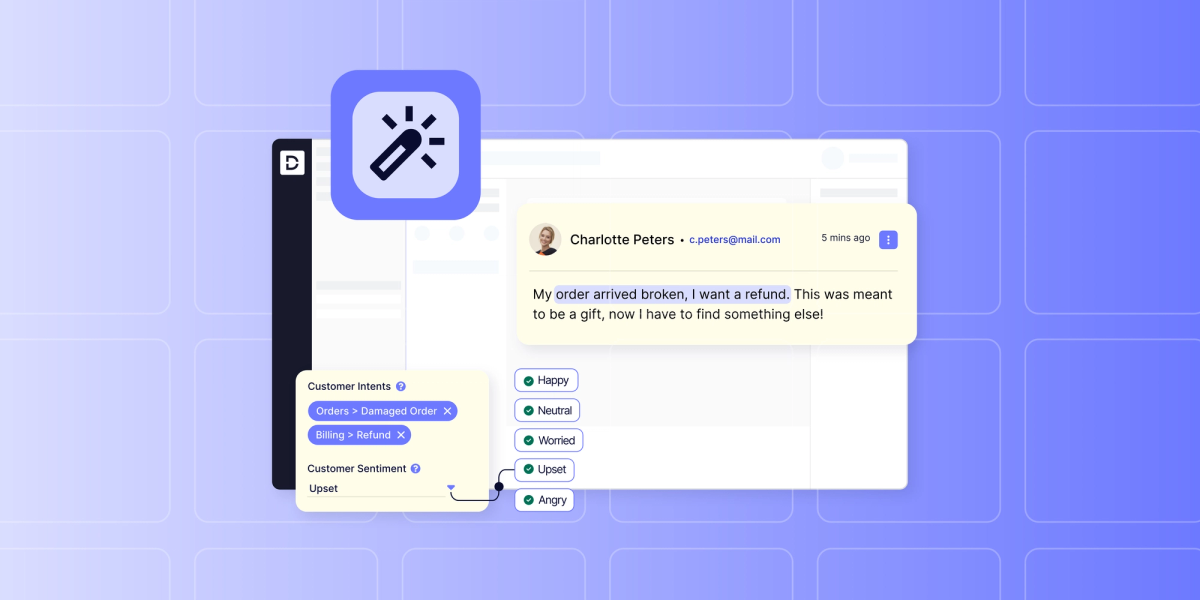
For example, Deskpro offers rule-based routing that lets you use “if, then” logic to direct tickets that match certain criteria to certain teams or agents, along with AI-powered sentiment analysis and intent detection for advanced routing.
AI agent assistance
Questions to ask:
- What features does your platform have to help agents resolve tickets more efficiently?
- What repetitive activities can be automated with AI?
- Can I automatically summarize long ticket threads and customer histories?
- Can our support team customize workflows without developer involvement?
- Does AI learn and improve from historical ticket data?
What to look for: Features that your agents will want to use and that will save them time without sacrificing accuracy. It doesn’t matter how many bells and whistles a platform promises: if your agents aren’t using the features, you won’t get the full value. You’ll also want to look for features and automated workflows that you can set up without developer involvement so that you don’t experience IT bottlenecks.
One thing to pay especially close attention to is a platform’s ability to index trusted resources (help center articles, product guides, resolved tickets, etc.) with AI to generate organization-specific outputs. This is what will allow the platform to generate business-specific suggested responses your agents can actually use rather than just generic outputs.
Pro tip: When trying to figure out what AI features are most important to you, Hannah Scott, VP of Sales and Customer Success at Deskpro, says you should ask yourself two questions: What’s your style of support, and where does your team spend the most time? “Those two questions allow you to find the quickest wins with features,” Hannah says. For example, for organizations in technical spaces with complex, high-touch tickets, the ability to summarize long ticket threads can be a huge time-saver. For organizations with a high volume of low-touch tickets, the ability to use canned snippets or AI-suggested responses can help agents work more efficiently.
AI-assisted self-service
Questions to ask:
- Does your platform offer a customer-facing AI chatbot?
- What knowledge sources does the AI chatbot draw from, and how can we control what it can and can’t reference?
- How does the chatbot hand off to a human agent when it can’t resolve an issue?
- Does your platform offer a customizable help center? If so, are there AI features to help build and maintain help center content?
What to look for: A chatbot that draws from your organization's own knowledge sources–and has guardrails (such as PII redaction and security certifications) to prevent sensitive information from being exposed. If your organization has strict requirements around the AI models you can use, you should also confirm if the platform lets you use your own AI model to power the chatbot.
On the help center side, look for customization options and AI features that help your team keep content accurate and up to date over time.
For example, Deskpro offers a customizable help center and enables you to generate new help center articles based on resolved tickets (your team can review and edit the AI output before publishing). Deskpro also offers a chatbot that you can power with the AI of your choice and securely connect to your trusted knowledge sources.
Questions to ask about security, compliance, and data governance
Security and compliance can make or break an AI help desk implementation, especially for organizations in regulated industries or with strict data residency requirements. The questions in this section will help you understand how a vendor handles your data, what deployment options are available, and whether their AI features can operate within your organization's security boundaries.
Deployment options
Questions to ask:
- Do you offer any deployment options beyond the public cloud (i.e., VPC, private cloud, sovereign cloud, or on-premise)?
- Where is data physically stored, and can we choose to restrict certain regions?
- If I need to move from cloud to on-premise in the future, is that supported?
- Are all features available across all deployment models?
What to look for: The flexibility to deploy in the environment that meets your organization’s needs. While many companies are able to deploy their AI help desk in a public cloud without issue, organizations in highly regulated industries or regions with strict data residency requirements need isolated or private options. For example, Deskpro Private lets teams deploy their help desk in a VPC, private cloud, sovereign cloud, or on premise, with all product features (including AI features) available across all deployment models.
AI data privacy and model training
Questions to ask:
- Do your AI features work with any AI model of our choice, or are we limited to specific providers or models?
- If we bring our own AI model, can we deploy it fully on-premise or in an isolated environment?
- If we’re using your AI model, does AI processing happen within the same environment as our data storage?
- Is our support data ever used to train or improve AI models?
What to look for: Transparency about the AI models used in the product and how your data is handled. If your organization has strict requirements about the AI models you can use (maybe your organization will only approve privately deployed LLMs, for example), you’ll need to look for a help desk provider that allows you to bring your own model, rather than locking you in to a specific LLM. This is the approach Deskpro takes: you can choose any model to power our AI features.
Questions to ask about scalability and total cost of ownership
Pricing is rarely as straightforward as it appears on a vendor's pricing page. Before you commit to a platform, make sure you understand what's included in your plan, what triggers additional costs, and how your bill will change as your team and ticket volume grow.
Questions to ask:
- Are all AI features included in base pricing or sold as add-ons?
- How does pricing change as agent count or ticket volume grows?
- Are there additional costs for advanced reporting, automation, or integrations?
- Is there a usage cap on AI features (e.g., number of chatbot interactions or AI-generated responses per month), and what happens if we exceed it?
What to look for: A clear pricing structure without any hidden add-on costs. Many help desk vendors offer seat-based pricing with competitive entry-tier pricing, but they gate certain features (including their AI offerings) behind higher tiers, require you to buy add-ons for things like advanced automation and enterprise-grade security, and charge additional fees for exceeding their AI usage cap. This can cause your total cost of ownership to quickly spiral beyond what you originally budgeted, especially as your ticket volume and platform usage increases.
Deskpro offers transparent seat-based pricing with no caps on automations or AI usage: what you see is what you get.
Questions to ask about vendor support, onboarding, and roadmap
The right help desk vendor should be a long-term partner that will set you up for success with their platform. The questions in this section will help you assess whether a vendor has the implementation support, responsiveness, and product vision to support your team long-term, not just get you through the initial sales process.
Questions to ask:
- What does onboarding typically look like, and is there dedicated implementation support?
- How long does your typical migration from another help desk platform take?
- What support tiers are available, and what are the SLAs?
- What is your AI product roadmap for the next 12-24 months?
- How do you incorporate customer feedback into your product roadmap, and what does that process look like?
What to look for: Vendors who offer implementation assistance, professional services, and account managers to help you succeed with their platform. You should also look for vendors who can clearly communicate how they capture voice-of-the-customer insights and incorporate those insights into their product roadmap.
Pro tip: In addition to asking the questions above, it’s also a good idea to look at publicly available support ratings (e.g., CSAT) and reviews that mention customer service. Watch out for red flags in reviews like mentions of long support wait times, frequent turnover on account management teams, and difficulty reaching team members with technical knowledge.
How Deskpro answers these evaluation questions
Our team at Deskpro is happy to answer all these evaluation questions. We want to make sure you find the solution that’s best for your team and don’t have to make a costly switch further down the road.
We’ve touched on some of our capabilities in the previous sections, and we’ll recap them here.
On the automation front, Deskpro combines rule-based and AI-driven workflows with a no-code setup so your team can build and adjust ticket routing, escalation logic, and other triggers without looping in a developer. AI-powered sentiment analysis and intent detection layer on top of objective automation rules, giving you the best of both approaches.
Deskpro's omnichannel ticketing consolidates every support channel–including email, live chat, voice, social media, and self-service portal–into a single unified workspace. Agents get full context without toggling between multiple platforms, and routing logic can be configured independently for each channel.
For organizations with data residency or compliance requirements, Deskpro Private supports deployment in a VPC, private cloud, sovereign cloud, or fully on-premise environment, with every product feature, including AI, available across all deployment models. And because Deskpro is model-agnostic, you can bring your own AI rather than being locked into a specific LLM.
Pricing is seat-based and transparent, with no caps on automations or AI usage and no hidden add-ons for features that should be standard.
Finally, Deskpro offers onboarding support and access to professional services, including a dedicated account manager. We also have a support team with a 99% monthly CSAT average. Our support team works closely with our product team to actively capture and build customer feedback into the product roadmap, so the platform evolves with real-world support needs.
Choosing the right AI help desk solution
The right AI help desk should give you straight answers to every question in this guide–no vague promises, no hidden costs, no features that only work in specific deployment environments. Deskpro is built for teams that need a flexible, enterprise-ready solution that goes well beyond basic automation.
See how Deskpro holds up against your own evaluation criteria. Book a demo or start a free trial today.
Date published • May 7, 2026